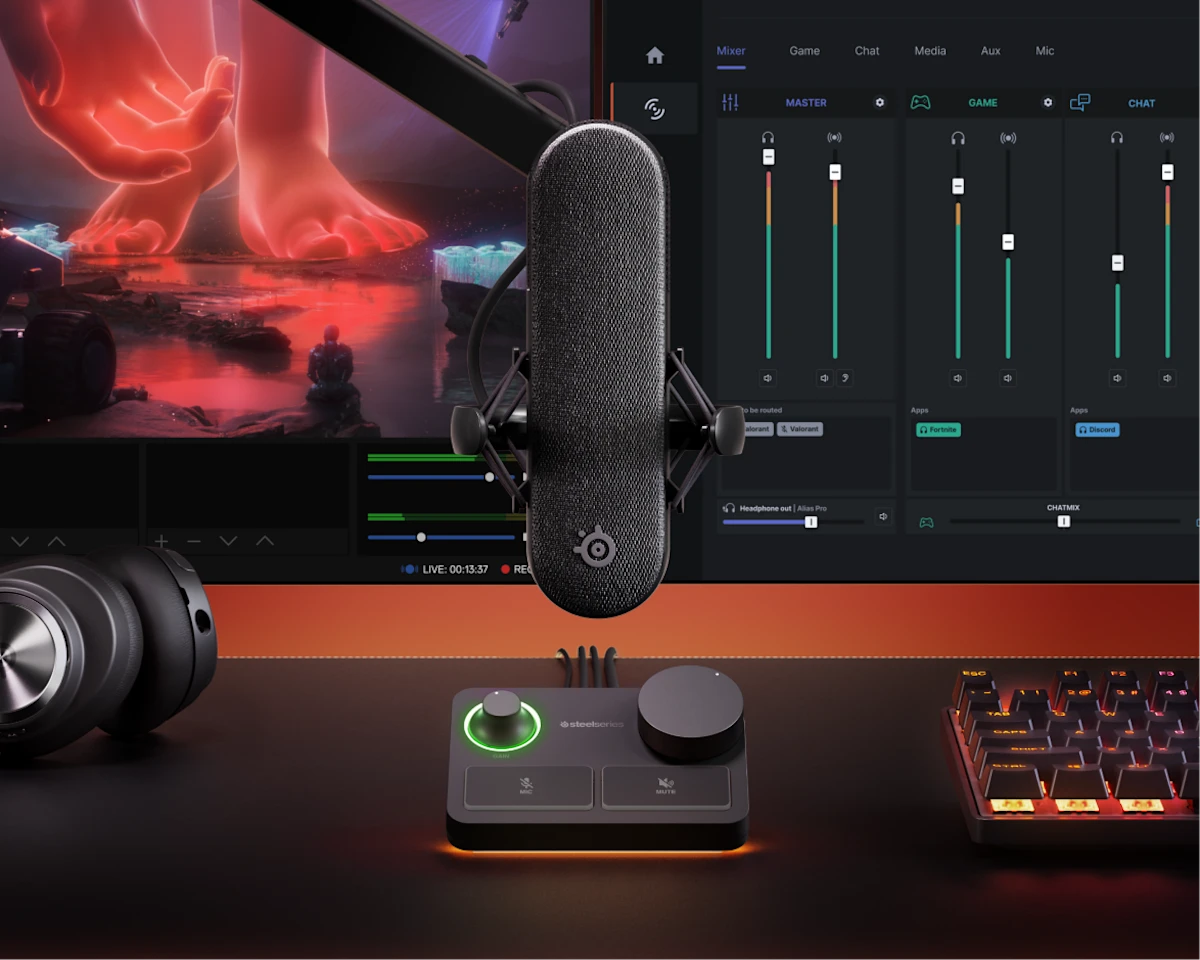
I waited for it, I got it! Steelseries delights us once again! This time, we are going to discover the Alias Pro microphone. We know that Steelseries is an innovative and creative brand and of course quality! This is why the brand very often works in close collaboration with pro gamers in order to improve and be as close as possible to players’ demands. Let’s find out together what this Alias Pro microphone offers!
Teaser
Presentation
The Alias Pro is a semi-professional microphone. It offers a multitude of functions and settings. This microphone, equipped with the XLR Stream, is mainly designed for streaming use. Of course, this mic is also essential if you want to get quality sound when making videos and the like.
Technical characteristics
- Microphone XLR
- Type: Condenser microphone
- Capsule: 1 inch (25 mm) ClearCast
- Polar pattern: Cardioid
- Resolution / sample rate: 24 bits / 48 kHz
- Frequency response: 50 Hz to 20 kHz
- Maximum sound pressure level (max SPL): 120 dB
- Power supply: +48 V DC phantom power
- Weight :
- 720 g with stand
- 169,5 g sans support
- Dimensions micro (avec support) : 110 x 130 x 230 mm (L x P x H)
- Flow mixer:
- Dimensions : 110 x 93 x 60 mm (L x P x H)
- Indicators and lighting: LED input indicator, RGB level indicator ring, RGB ambient lighting (Prism)
- Connections: 2× USB-C (plug and play), 1× 3.5 mm headset, 1× 3.5 mm line output
- Features and controls: mic monitoring, mic gain button, mic mute button, programmable mute button, volume button (default headset)
- General characteristics:
- Removable desktop stand
- Support anti‑vibrations
- Articulated arm adapter included
- Compatible thread 3/8″ and 5/8″
- Articulated arm not included
- Contents of the box:
- Microphone XLR
- Flow mixer
- XLR cable
- Two USB‑C to USB‑A cables
- AC adapter
- Desktop stand
- Articulated arm adapter
- Product Information Guide
Unboxing and first impressions
The box sporting the SteelSeries colors (orange and gray) is imposing! On the front, as usual, we find the product image, the SteelSeries logo and brand at the top and the microphone model at the bottom. SteelSeries has also affixed the label “N°1 Premium gaming headset brand”, followed by a second label with the mention: INNOVATION “XLR dual USB kit”.
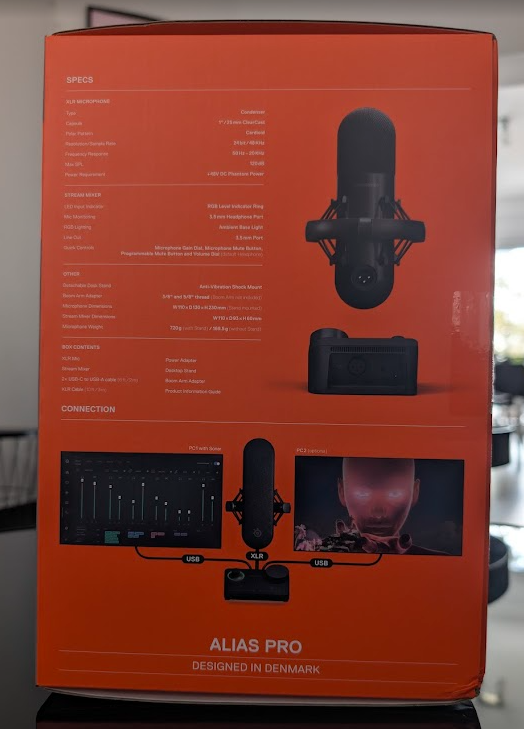
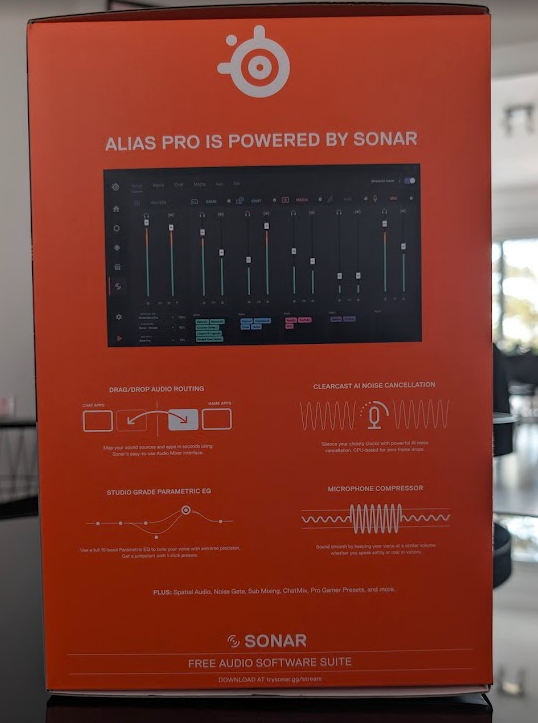
On the side faces, we find the technical characteristics of the microphone, some images as well as the configurations offered via the GG application (powered by Sonar).
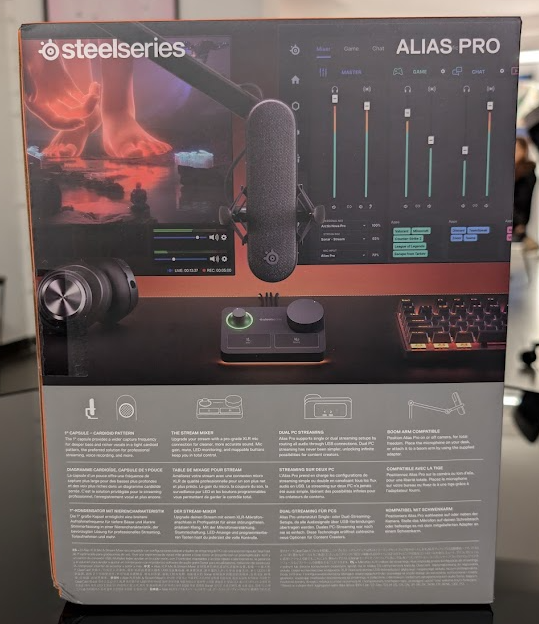
On the back, same thing: an image of the microphone with the SteelSeries GG application in the background and the description of certain advantages of this microphone.
Really looking forward to discovering it!
Everything is perfectly packaged and protected. When opening the box, we find our microphone as well as the XLR Stream Mixer. Once removed from the box, we have the user manual, XLR cable, USB-C cables, adapter and clips.
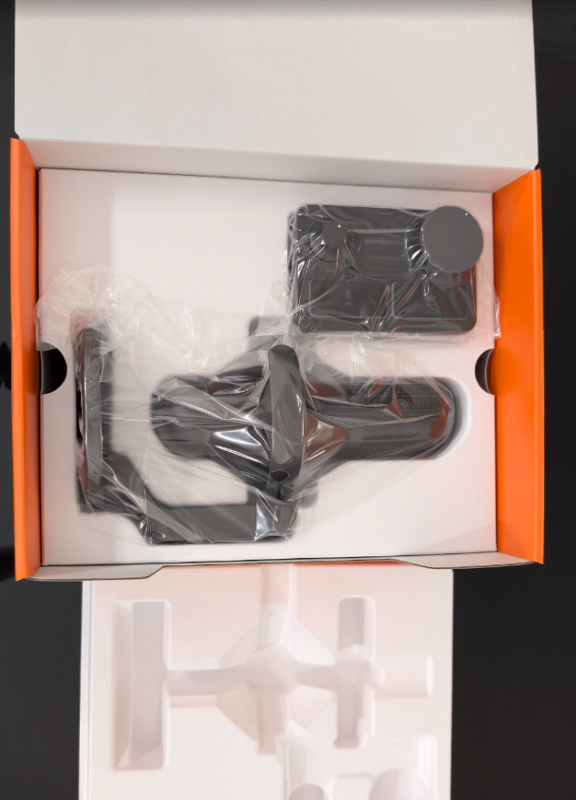
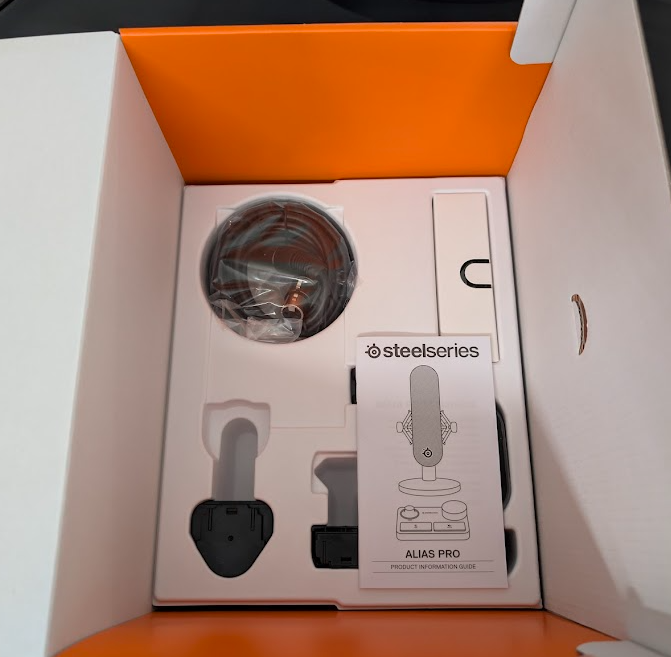
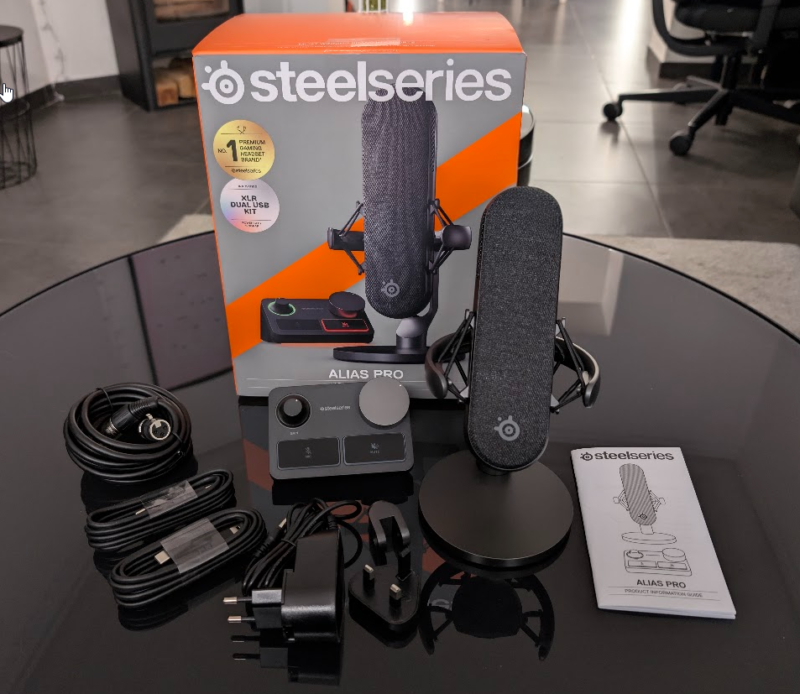
Everything is carefully packaged and prepared. The microphone is quite heavy when first picked up. The stand and microphone seem really good quality.
Design and manufacturing quality
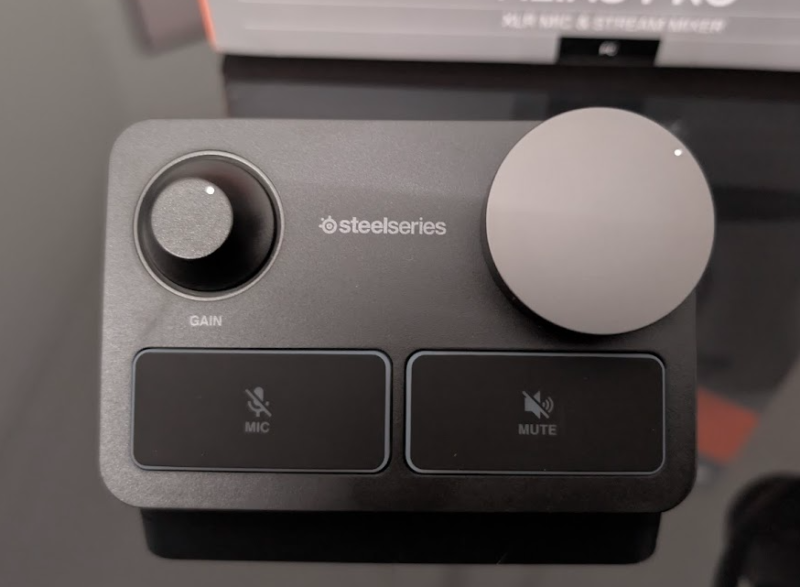
Personally, I love it! I really like everything that is clean and simple. This installation delights me! Everything is matte black, from the cable to the microphone! Only the Steelseries logo is displayed on the microphone. As for the XLR Stream Mixer, we find the two wheels as well as two buttons (also in black).
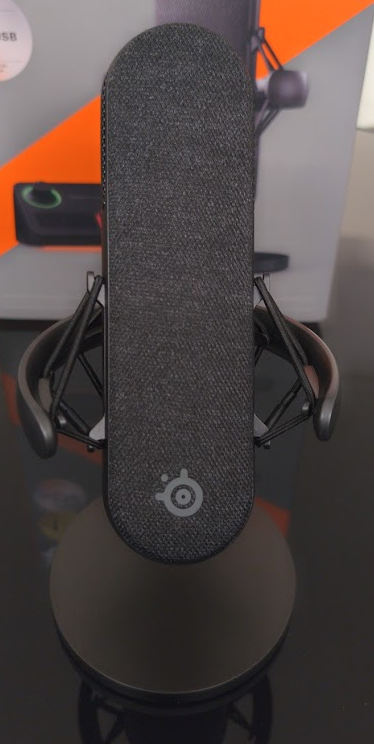
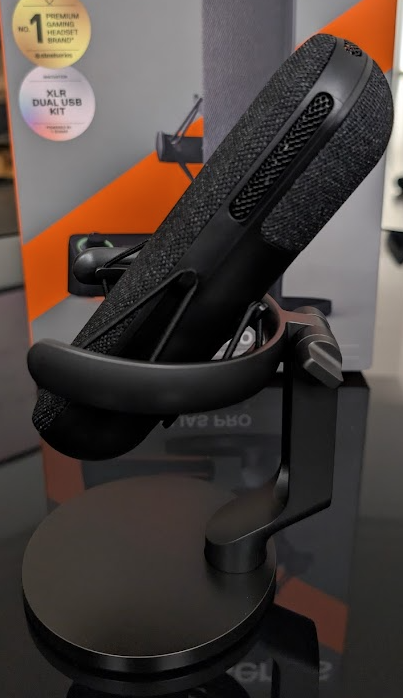
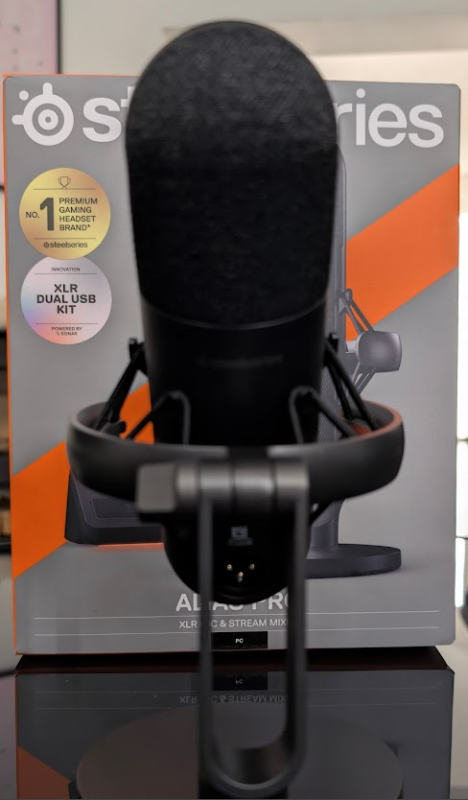
Regarding the build quality, I am not at all disappointed with SteelSeries. Finished product with beautiful finishes. SteelSeries has mainly used high-quality premium plastic and reinforced plastic for most parts of the mic. The suspensions are made of anti-vibration elastic. The grille is made of acoustic fabric and mesh. The support is made of metal.
SteelSeries has therefore opted for durable and quality materials in order to obtain a robust product for gaming and streaming.
Features and connections
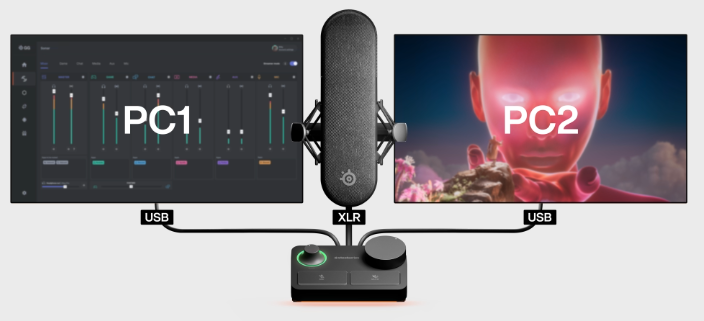
On this model, Steelseries offers us something heavy! This microphone has an XLR connection, which allows for professional quality audio transmission. The XLR will be connected from the microphone to the mixing desk (XLR Stream Mixer). This Mixer will then act as an audio interface combined with the Steelseries GG application.
On the connection side, we will have on the one hand, the XLR cable from the microphone to the Mixer and a type C cable from our Mixer to our PC (without forgetting the power supply of the Mixer).
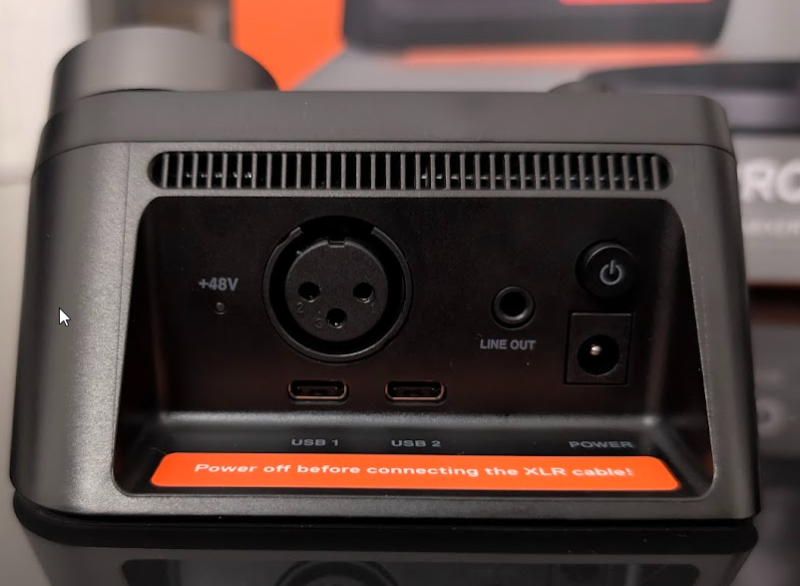
This Mixer will allow you to connect up to two devices via USB-C. Which means that we will be able to manage our microphone on two different devices.
The “Line OUT” output allows you to connect and transmit the audio signal from the Mixer to speakers or others such as an audio amplifier, an acquisition card, etc.
On the side of this XLR Stream Mixer, we can also connect a headphone jack in order to enjoy better sound and all the features it offers.
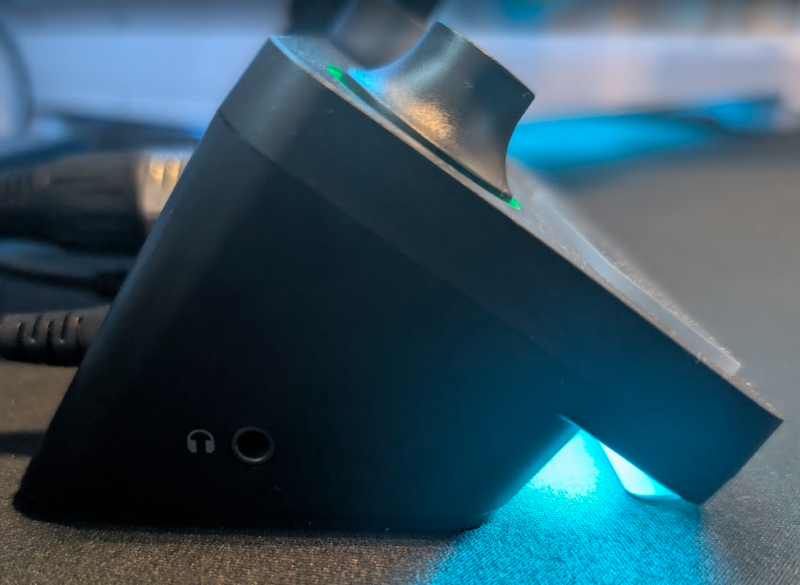
On the Mixer, there are two dials: the left one (Gain) is used to amplify the microphone signal and adjust its sensitivity while the other allows you to adjust the volume of the headphones connected to the jack. It is possible to mute the microphone using the physical Mixer button and also to mute the sound if the headphones are plugged into the jack.
I find it an excellent idea to have retained physical controls on this Mixer, while centralizing these two essential functions. Note that if the headphones are not connected to the jack, the mute button and the volume wheel of the headphones will not be functional.
As instructed on the Mixer, be sure to turn off the power before connecting or disconnecting the XLR cable!
Configuring the Alias Pro via the GG & Sonar app
Plug & play, this microphone is easy to connect to your PC. On the other hand, Steelseries offers to use its Sonar application in order to adjust and configure this microphone as we see fit.
Once in the GG application, simply click on the “Engine” tab and select the device you want to configure.
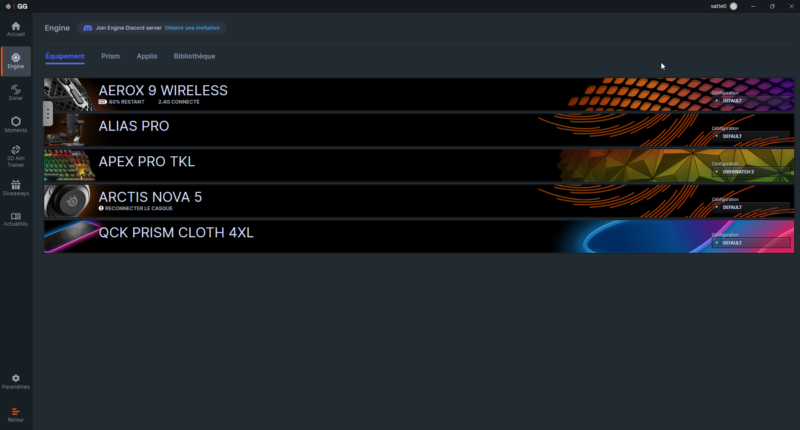
When I click on the Alias Pro, another window opens allowing me to configure our XLR Stream Mixer. We can then configure the audio, lighting and its configuration.
In the “Audio” tab, it will be possible to configure the microphone sidetone and phantom power.
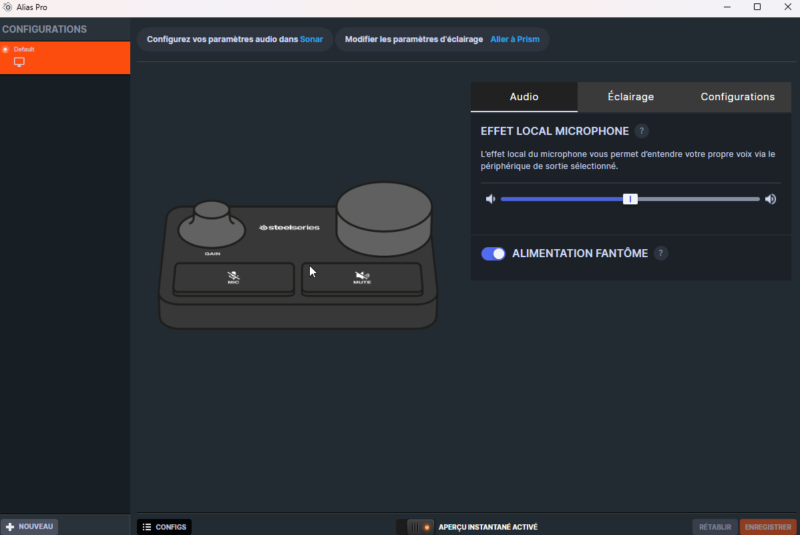
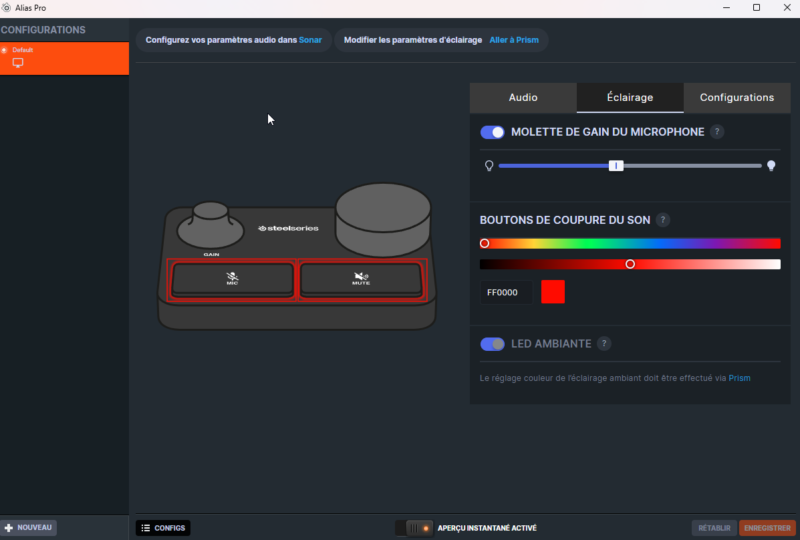
In the “Lighting” tab, we can configure the colors of the different buttons. It is also possible to configure this via the “Prism” application also integrated into the GG application.
Our last “Configurations” tab will allow you to configure when headphones are connected via jack to the Mixer.
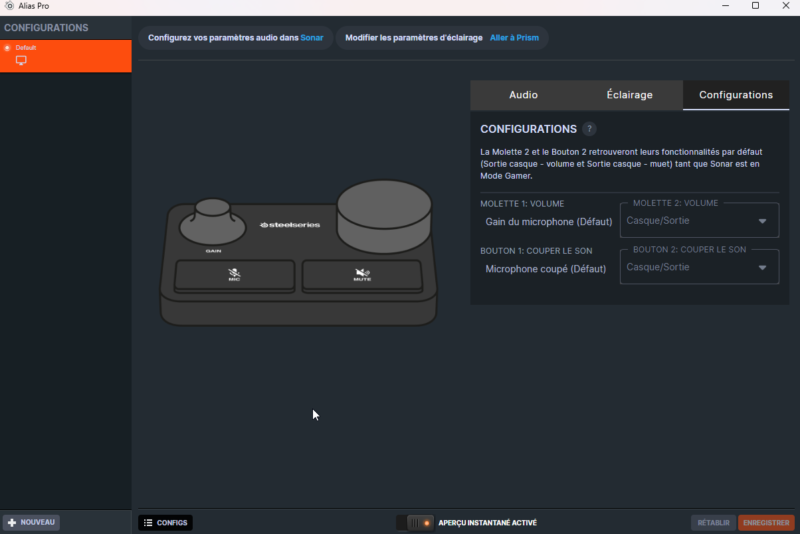
It is of course possible to configure several profiles according to different needs.
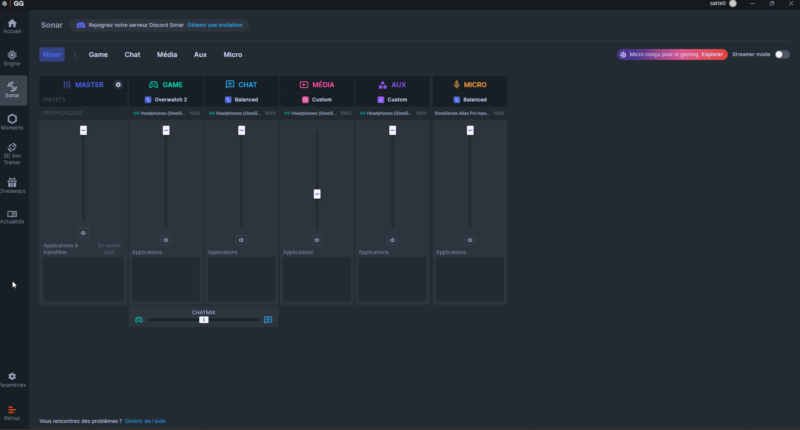
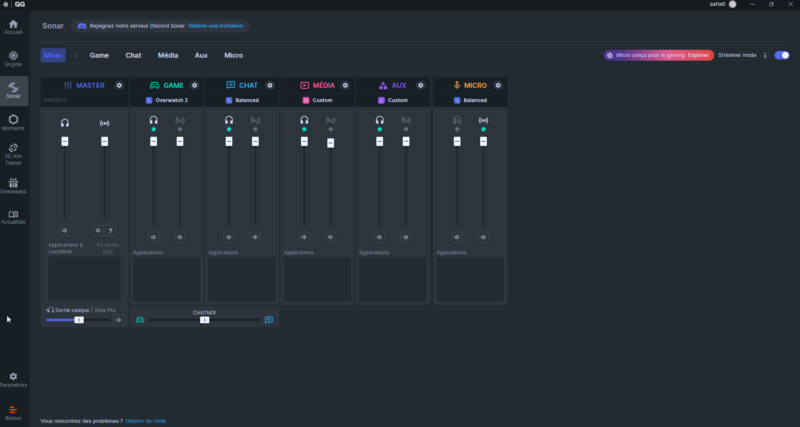
In the “Sonar” tab, we can go further and configure our microphone more precisely. For this model, there will be two types of configuration: The “basic” configuration and the “Streamer mode” configuration.
In simple configuration, we have the Mixer with a single mix. We can of course configure and choose where the applications will go and adapt the volume.
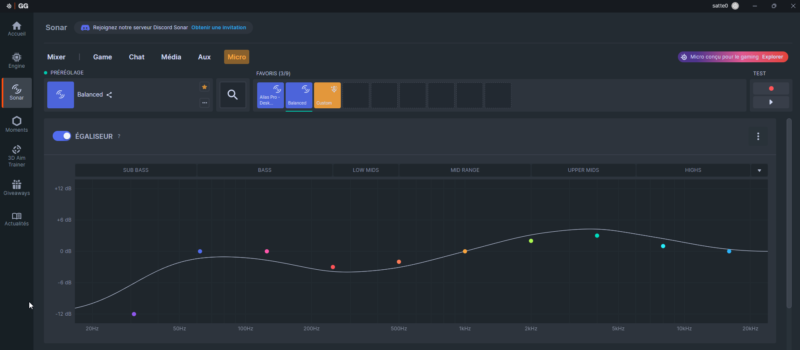
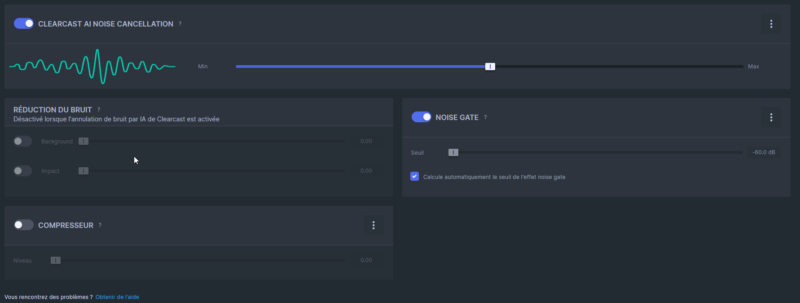
If we click on “Microphone”, we will have access to the configuration of our Alias Pro microphone. It will then be possible to configure a multitude of parameters and presets. We can configure the equalizer, noise cancellation, etc.
In Streamer mode, a second mix is available. It separates the audio into two independent mixes: my personal mix (what I hear) and my stream mix (what my audience hears). This prevents audio leaks and helps optimize volumes. Really nice to use and configure!
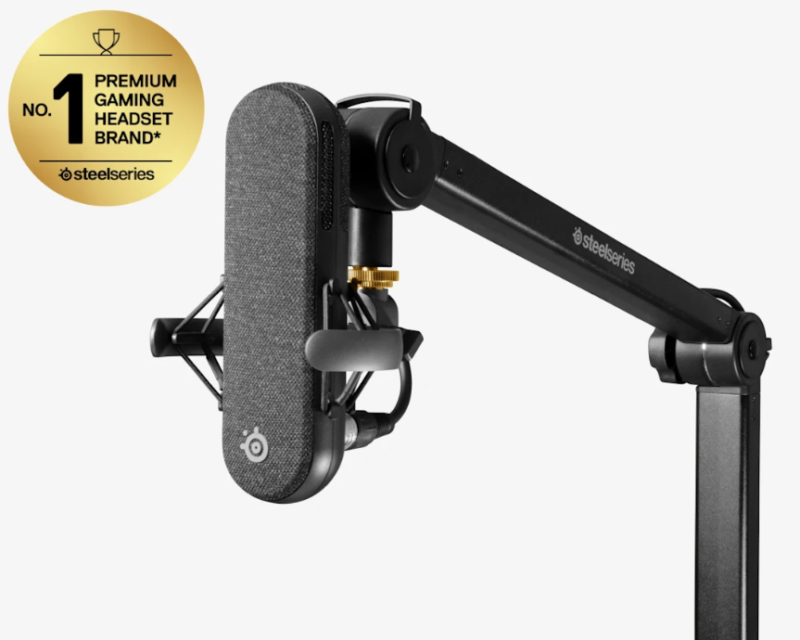
L’Alias Boom Arm
SteelSeries offers the Alias Boom Arm to complete the installation of the Alias Pro mic (also compatible with the Alias version). This metal arm offers flexible 360° positioning and excellent cable management according to photos and reviews online. However, I find its price a little excessive for a “simple” arm (€124.99).
PakarPBN
A Private Blog Network (PBN) is a collection of websites that are controlled by a single individual or organization and used primarily to build backlinks to a “money site” in order to influence its ranking in search engines such as Google. The core idea behind a PBN is based on the importance of backlinks in Google’s ranking algorithm. Since Google views backlinks as signals of authority and trust, some website owners attempt to artificially create these signals through a controlled network of sites.
In a typical PBN setup, the owner acquires expired or aged domains that already have existing authority, backlinks, and history. These domains are rebuilt with new content and hosted separately, often using different IP addresses, hosting providers, themes, and ownership details to make them appear unrelated. Within the content published on these sites, links are strategically placed that point to the main website the owner wants to rank higher. By doing this, the owner attempts to pass link equity (also known as “link juice”) from the PBN sites to the target website.
The purpose of a PBN is to give the impression that the target website is naturally earning links from multiple independent sources. If done effectively, this can temporarily improve keyword rankings, increase organic visibility, and drive more traffic from search results.